> ## Documentation Index
> Fetch the complete documentation index at: https://docs.feedbackflowhq.com/llms.txt
> Use this file to discover all available pages before exploring further.
# Email Follow-ups
> Follow-ups are a feature that allows you to send emails to your users on different survey events.
## Overview
The email followup feature allows survey creators to automatically send customized emails to respondents based on their survey responses or when they reach specific survey endings. This feature is particularly useful for following up with respondents, sending thank you notes, or providing additional information.
Email followups is a paid feature. It is only available for users on paid plans.
## Key Components
### 1. Trigger Types
There are two types of triggers for email followups:
* **Response-based**: Triggered when a response is submitted
* **Ending-based**: Triggered when respondents reach specific survey endings
### 2. Email Configuration
Each followup email can be configured with:
* **Name**: A descriptive name for the followup
* **To**: Email recipient (sourced from):
* Open text questions with email input type
* Contact info questions
* Hidden fields
* **Reply-To**: One or more email addresses for replies
* **Subject**: Email subject line
* **Body**: HTML-formatted email content
## Setup Process
1. Navigate to the survey editor
2. Access the `follow-ups` section
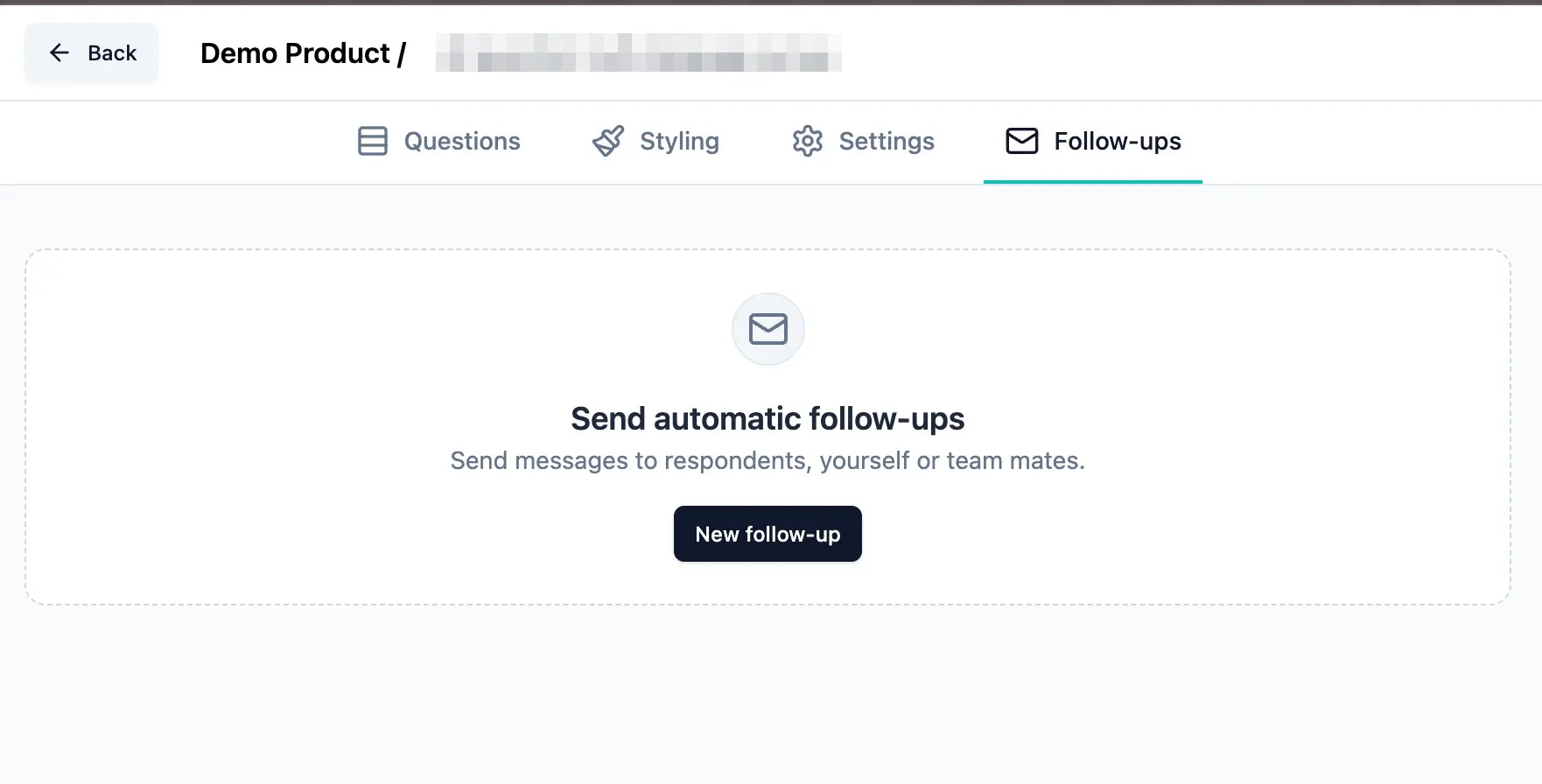 3. Click the "New follow-up" button to add a new followup
4. Fill in the required information:
* Followup name
* Trigger type (response or endings)
3. Click the "New follow-up" button to add a new followup
4. Fill in the required information:
* Followup name
* Trigger type (response or endings)
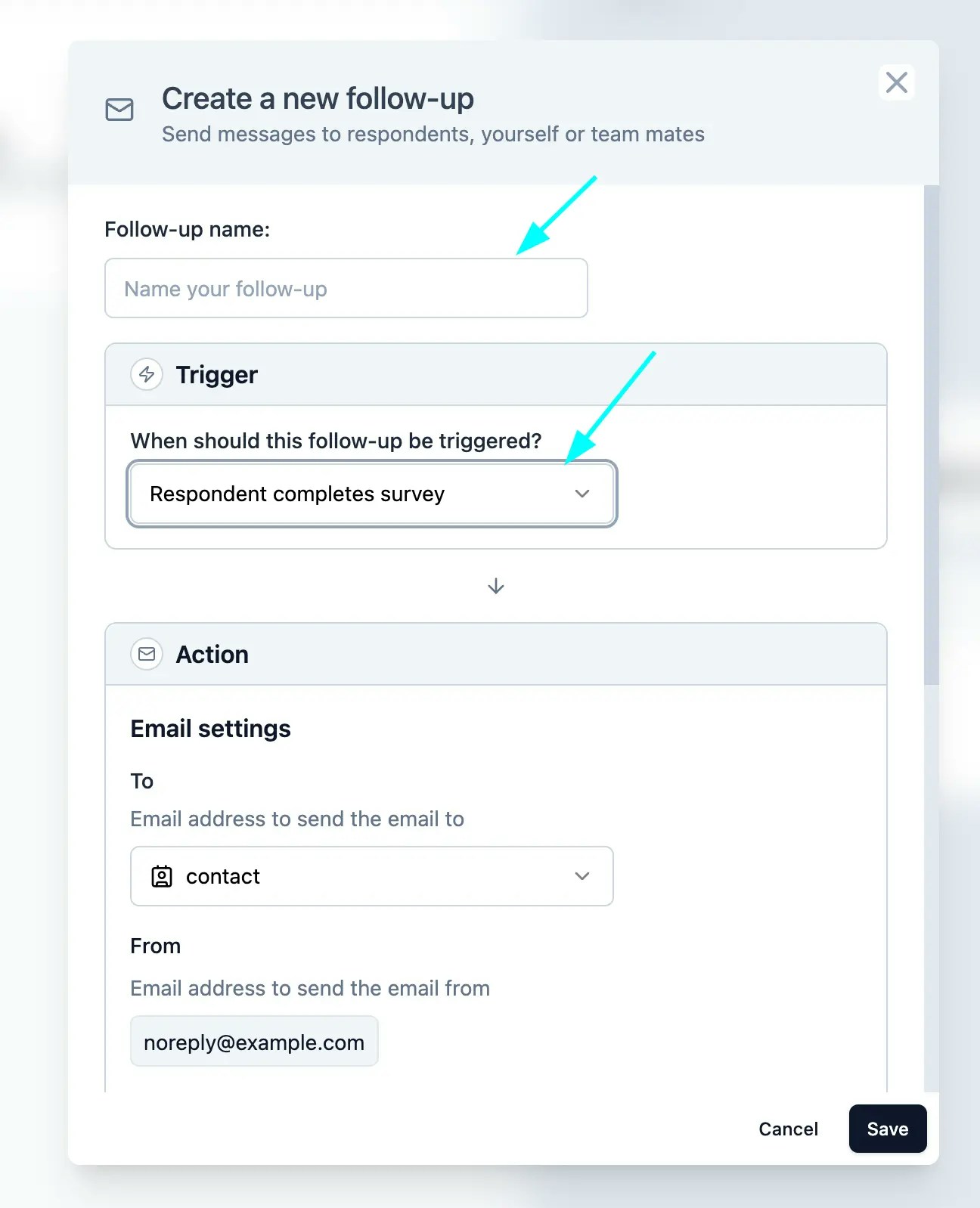 5. **Configuring Recipients**:
The "To" field can be configured to use:
* Responses from email-type open text questions
* Responses from contact info questions
* Values from hidden fields
6. **Configure the Reply-To**:
* Add one or more valid email addresses
* Addresses can be added by typing and pressing space or comma
* Invalid email addresses are automatically rejected
5. **Configuring Recipients**:
The "To" field can be configured to use:
* Responses from email-type open text questions
* Responses from contact info questions
* Values from hidden fields
6. **Configure the Reply-To**:
* Add one or more valid email addresses
* Addresses can be added by typing and pressing space or comma
* Invalid email addresses are automatically rejected
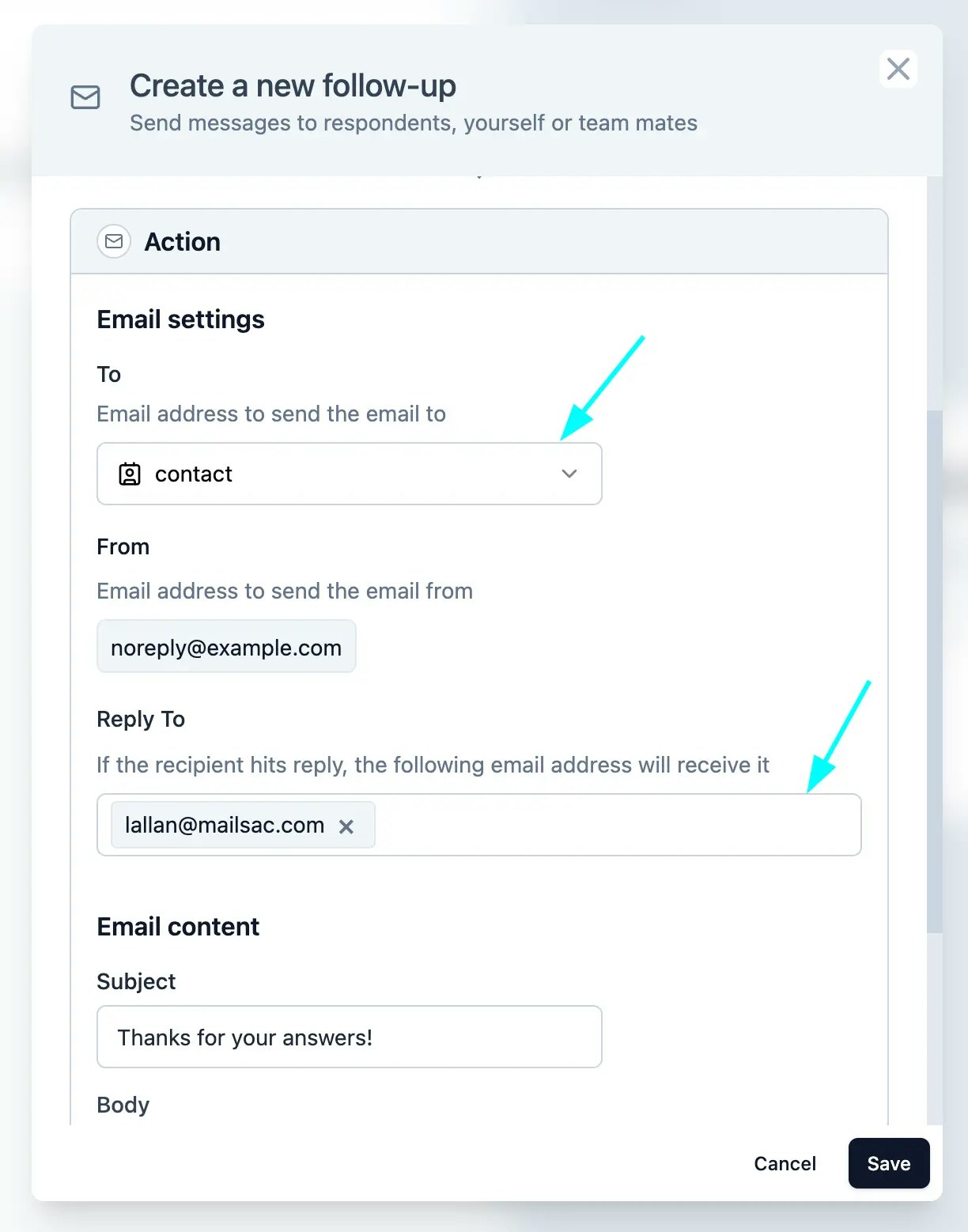 7. **Configuring the Email Content**:
* Subject
* Body: Supports basic HTML formatting (p, span, b, strong, i, em, a, br tags)
7. **Configuring the Email Content**:
* Subject
* Body: Supports basic HTML formatting (p, span, b, strong, i, em, a, br tags)
 8. **Save and Activate**