> ## Documentation Index
> Fetch the complete documentation index at: https://docs.feedbackflowhq.com/llms.txt
> Use this file to discover all available pages before exploring further.
# Add Image / Video
> Enhance your questions by adding images or videos. This makes instructions clearer and the survey more engaging.
## How to Add Images
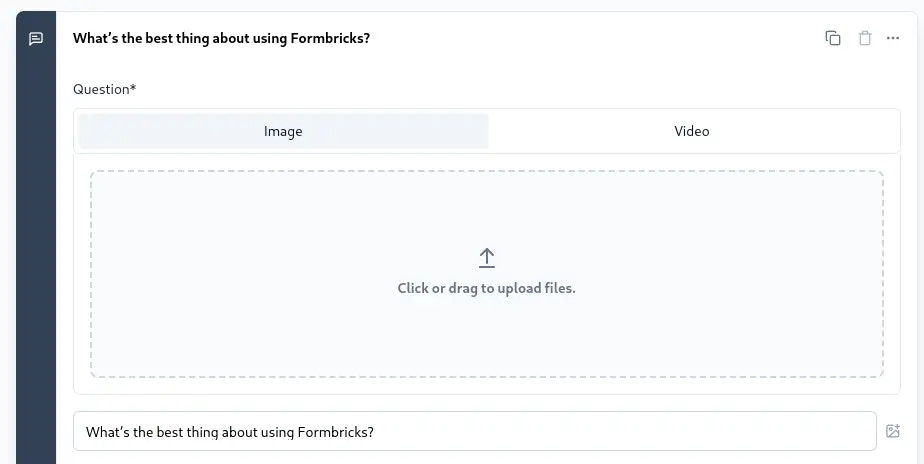
Click the icon on the right side of the question to add an image or video:
 Upload an image by clicking the upload icon or dragging the file:
 ## How to Add Videos
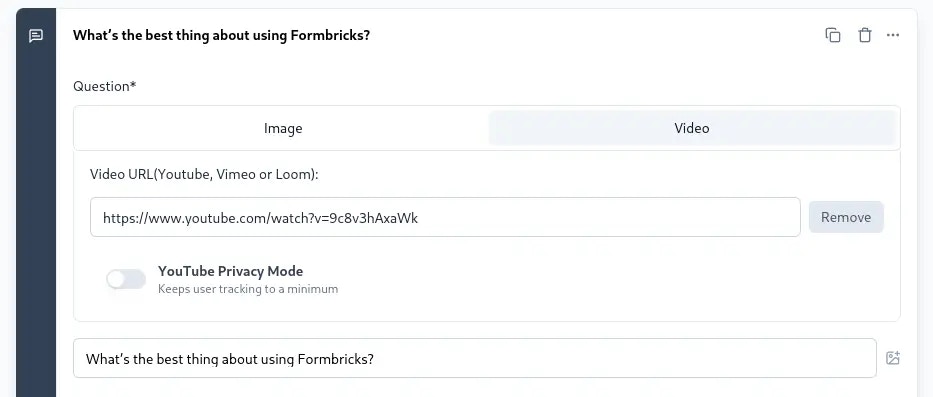
Toggle to add a video via link:
## How to Add Videos
Toggle to add a video via link:
 ### Supported Video Platforms
We support YouTube, Vimeo, and Loom URLs.
**YouTube Privacy Mode**: This option reduces tracking by converting YouTube
URLs to no-cookie URLs. It only works with YouTube.
### Supported Video Platforms
We support YouTube, Vimeo, and Loom URLs.
**YouTube Privacy Mode**: This option reduces tracking by converting YouTube
URLs to no-cookie URLs. It only works with YouTube.